Give the Gift of Gaming — Any Time of Year

No matter if you're looking for a birthday gift or something for a special occasion like Christmas, we've got you! Here's how you can give someone you like something they want, along with games, bundles, and more that we think would make a fantastic gift.

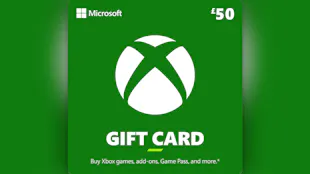
Gift games, bundles, pre orders, digital comics & gift cards for stores such as Nintendo, XBOX, PlayStation, Roblox, Minecraft and EA (depending on location).
Explore Themes
Officially licensed
Instant digital delivery
Schedule Anytime
Welcome to Fanatical - Starfield

How Gifting Works

Add to Cart
Make sure you tick the box on the Checkout to 'Gift This Order'.
Add Recipient & Message
Enter the recipient’s details and write a personal message.
Choose a Theme
Pick from year‑round and genre‑based designs.
Schedule Delivery
Send now or set a date you want the gift to arrive.

Explore Themes

Christmas
Be merry and bright with this design.
Standard
A design for any occasion!
Birthday
One year older, one game richer.

Top Games Under £20

View All

Gift more with Game Bundles

View All

Most Wishlisted Games

View All

Gift Cards

View All

Fanatical Gamers Recommend

View All

Why Gift with Fanatical

100% Safe and Secure
Trusted payment and protected redemptions.
Customisable Themes
Pick from year‑round and genre‑based designs.
Scheduled Ahead
Never miss a birthday or big day again.
Instant Digital Delivery
Redeem keys when they get the email.
Manage Your Gift Order
Edit or revoke your gift anytime from your account.

Gifting FAQs

Yes! You can schedule a gift up to 12 months in advance so you can shop at the best price and be prepared for any upcoming occasions.

The recipient will be emailed a redemption link where they can accept their gift. Accepted orders are listed in the recipient's fanatical.com Order History, where they can reveal the associated game keys: https://www.fanatical.com/en/orders.

To accept their gift, the recipient will be required to have a fanatical.com account. If the recipient doesn't already have a fanatical.com account they can easily create one through the emailed gift link and they will not be charged to do so.

We do - we have many bespoke themes for all sorts of occasions so you can always find the right one for the job.
Yes, as long as your friend has not yet accepted the gift you will be able to edit or revoke the order in the " Manage Gift Order" section within the order history of your account at  https://www.fanatical.com/en/orders.
We offer gift cards for Nintendo, XBOX, PlayStation, Roblox, Minecraft and EA stores (depending on your location). Currently, we do not offer gift cards for Fanatical or Steam.
Yes! So long as the order qualifies for gifting and you have not revealed or activated any products, you can gift an existing order from your personal Order History at https://www.fanatical.com/en/orders via the " View Order & Keys" link associated with the order.

There are a few exclusions to our gifting system:

  • You cannot gift EPIC games
  • You cannot gift orders where you've already started to reveal the associated keys
  • You cannot gift orders that were delivered to you more than 180 days ago
  • You cannot gift an order where any part of that order has already been refunded
Click the "Check country restrictions" link below the "Activates in XYZ" on any game to see a form where you can select another country to confirm whether the game will or won't activate into a gamer account associated with that other country.

Yes, you can.

Select PayPal as your payment option, then when you're on the PayPal website choose " Debit /Credit Card" as your method of payment.

If PayPal prompts requests your name and address, you will have to register your pre-paid gift card first by visiting the website printed on your gift card.

No, you only need their email address!
You can view gifted orders through your personal Order History screen at  https://www.fanatical.com/en/orders.
Yes, the process works exactly the same as for any other game. You can either choose to gift a bundle at checkout or from your Order History screen at  https://www.fanatical.com/en/orders.